For business teams

Work your KPIs with Bicycle, day to day.

Know what changed. Understand why. Act safely.

Start from the change that matters, see the cause with the evidence, and take the next step inside the guardrails your data team set. Every move shows what you do and what Bicycle does for you.

Pillar 01 · Know

Act on What Matters Now

Stop refreshing dashboards and pinging analysts. The change most likely to move your numbers finds you, ranked by impact, in your own terms.

You get: the changes that matter, before you askC3Always on KPI intelligenceC2Vertical native contextC5Defensible answers
The agent doing the work

Pattern Engine

Runs governed patterns across your KPIs around the clock, groups related issues, and ranks them by impact so the one that matters reaches you first.
Always on
Know what changed, screen by screenLive screens enlarge on click.
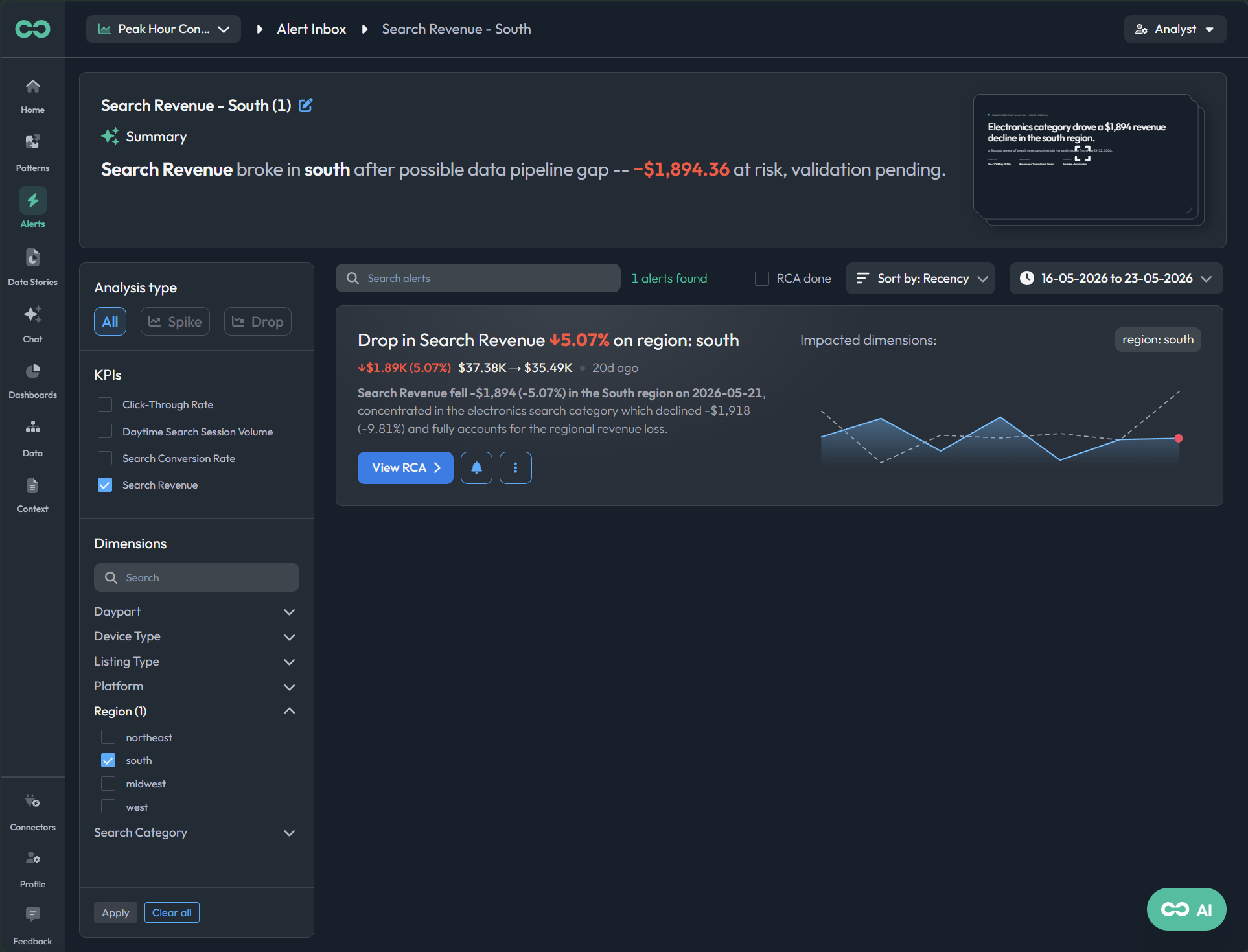
STEP 01
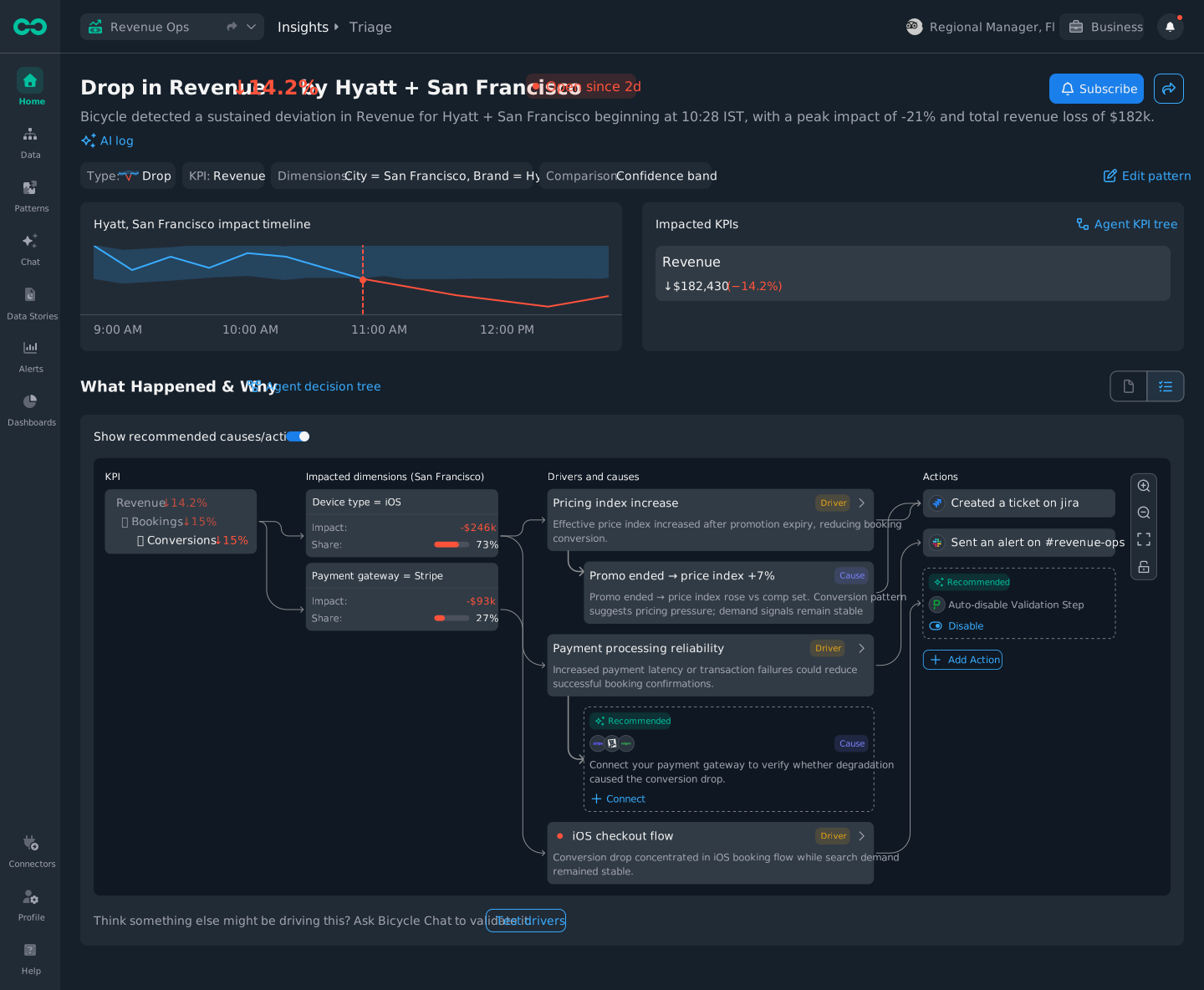
The change finds you
A revenue-critical KPI moves in one segment; the alert lands with the chart, the impact, and what happened, before you refresh a dashboard.
live screen
app.bicycle.ai alertslive
STEP 02
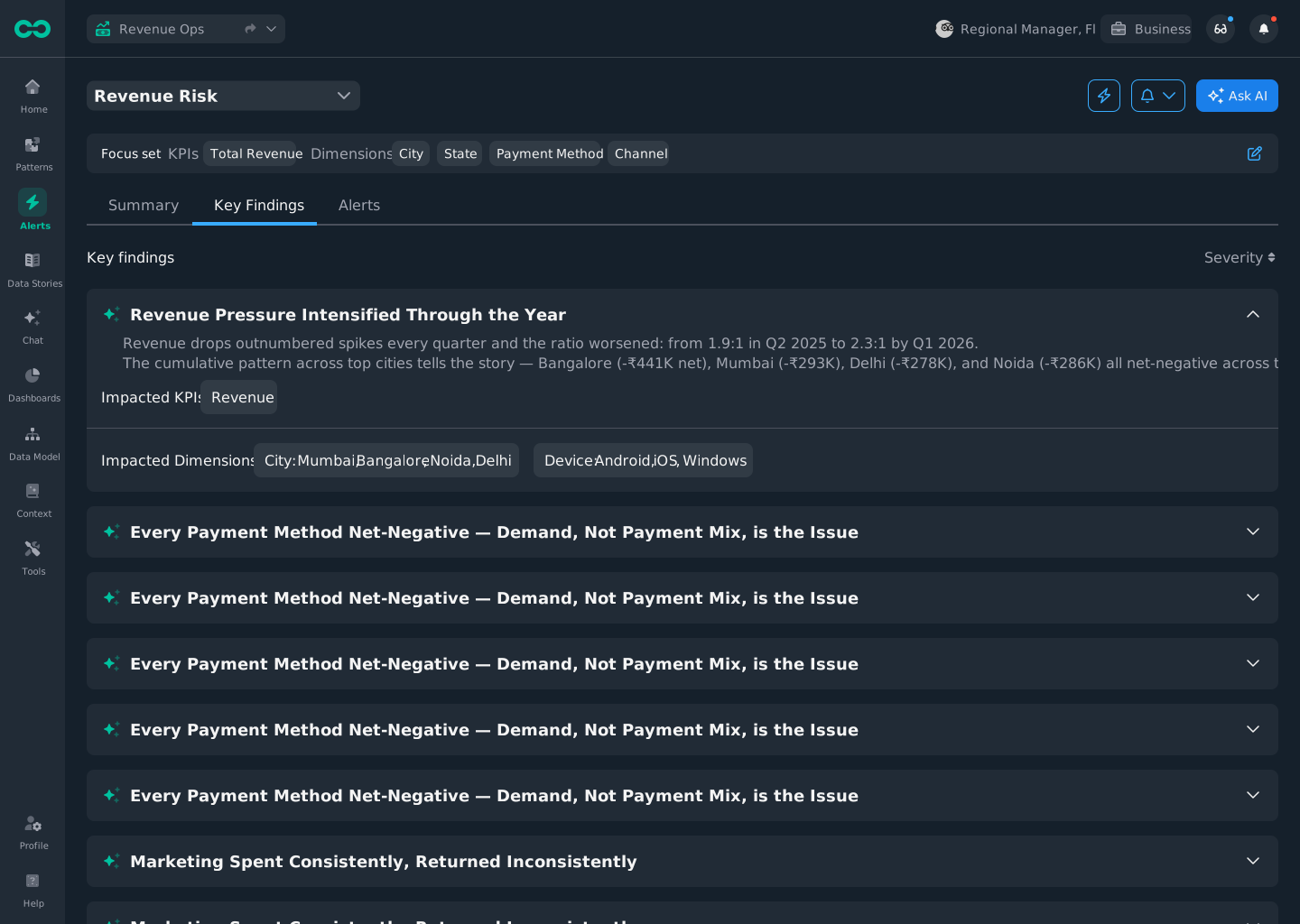
Read the key findings
The findings that matter are pulled to the top, ranked by severity, with the impacted KPIs and dimensions named.
live screen
app.bicycle.ai key findingslive
STEP 03
Focus on the set you own
Pre-configured views scope the inbox to your revenue area: your segment, not company-wide noise.
live screen
app.bicycle.ai focus setslive
STEP 04
Open the dashboard in context
Jump from the alert into the dashboard that frames it, already filtered to the change.
live screen
app.bicycle.ai dashboardslive
STEP 05
Track the KPIs you own
Your KPIs, thresholds, and owners in one board. Monitoring tuned to what you are accountable for.
live screen
app.bicycle.ai KPIslive
Pillar 02 · Understand

Align on What Changed

Knowing a number moved is not the answer. See why, with the evidence and what was ruled out, and walk into the review with one story the room trusts.

You get: the cause, with evidence, and a story you can shareC4Multi factor cause analysisC5Defensible answersC2Vertical native context
The agent doing the work

Cause Engine

Evaluates the drivers and specific causes against the affected segment, pulls the supporting evidence, and shows confidence plus what it ruled out.
Evidence-backed
Understand why, screen by screenLive screens enlarge on click.
STEP 01
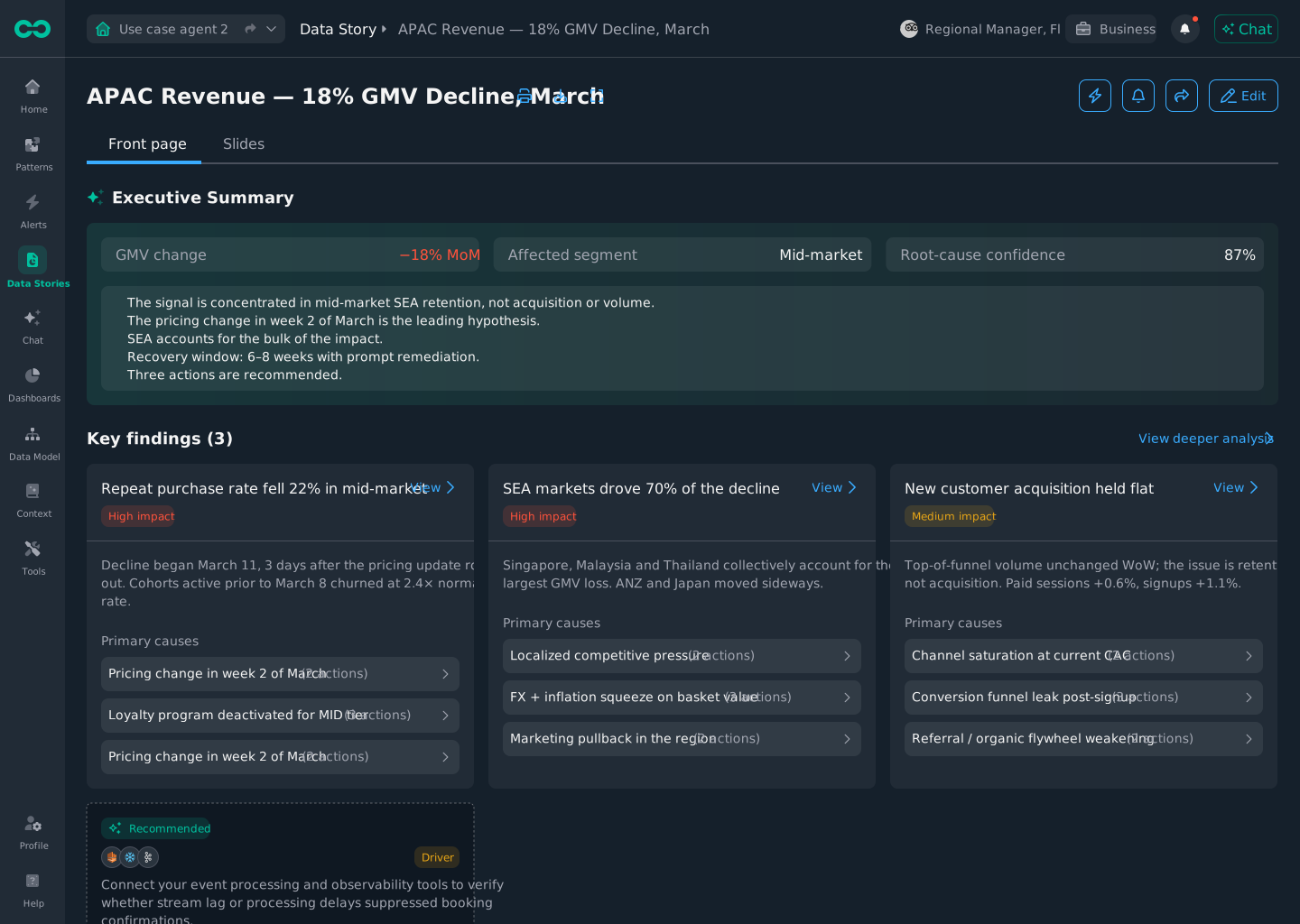
Read the data story
One narrative names what changed and why, in plain language, ready to bring into the review.
live screen
app.bicycle.ai data storylive
STEP 02
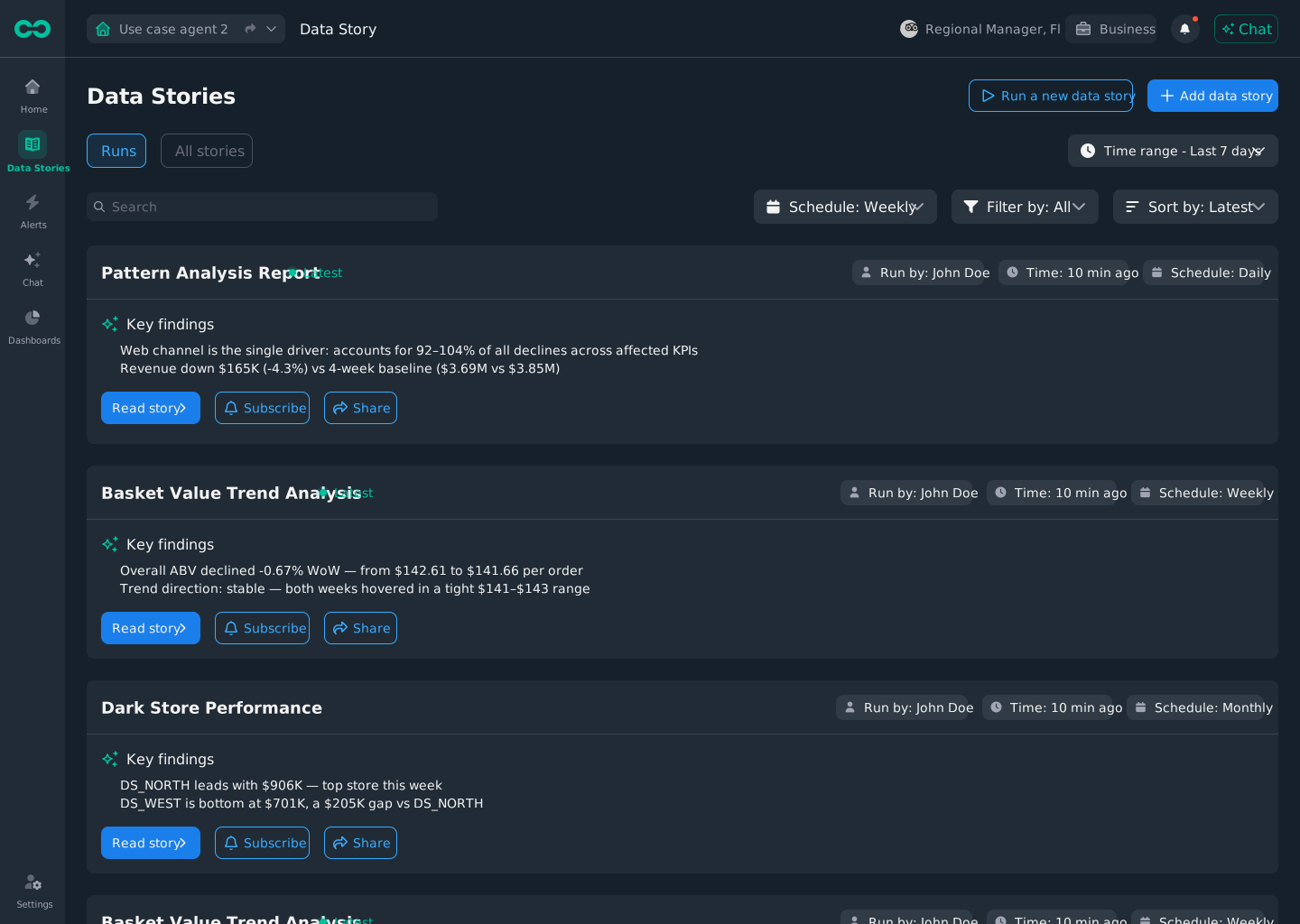
Scan the story runs
Scheduled stories run on your KPIs; scan the latest and subscribe to the ones you own.
live screen
app.bicycle.ai data storieslive
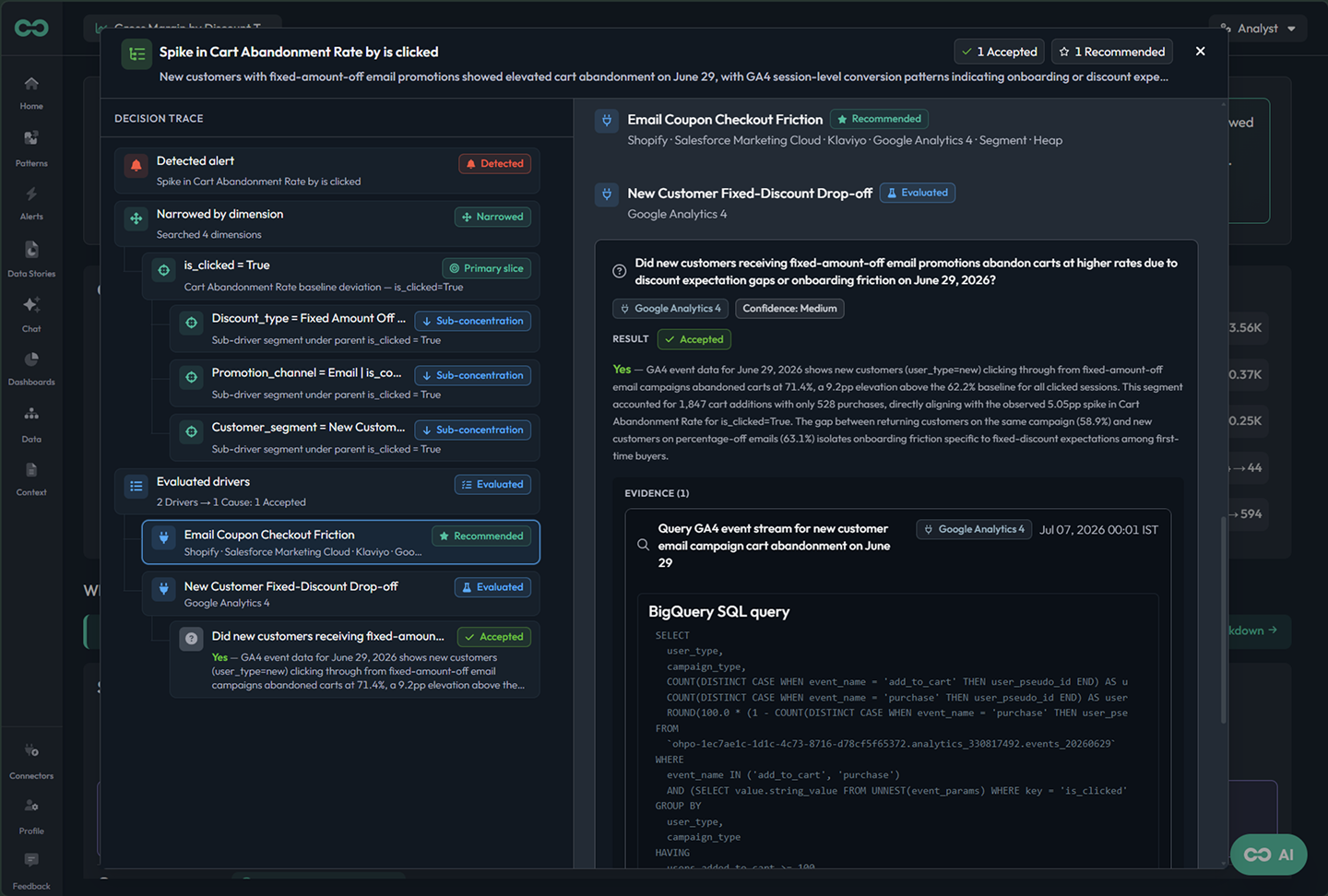
STEP 03
See the cause with evidence
The ranked cause, the evidence behind it, the confidence, and the drivers Bicycle checked but ruled out.
live screen
app.bicycle.ai causelive
STEP 04
Ask a follow-up in your own words
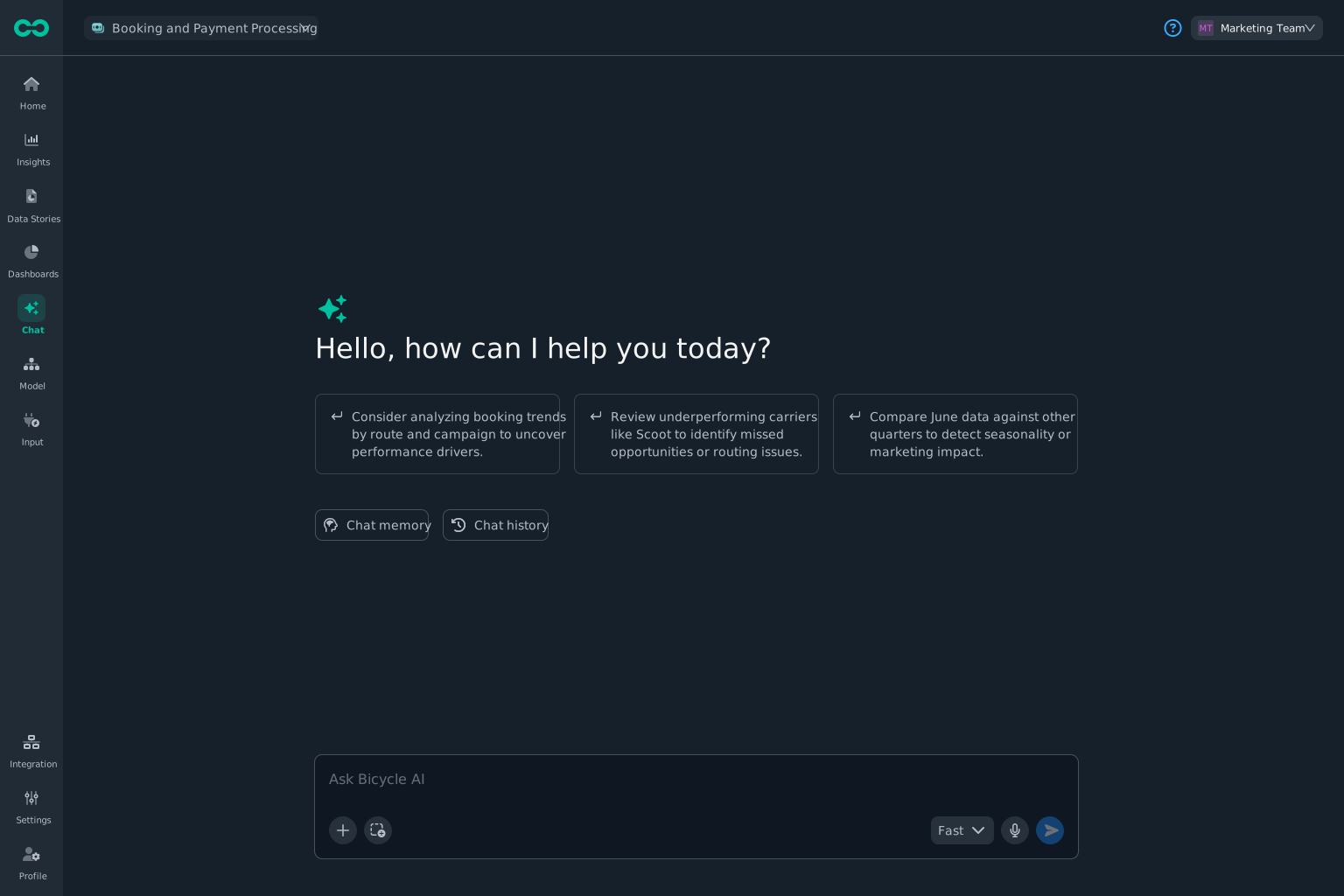
Ask the next question in plain language: no table names, no metric IDs to translate.
live screen
app.bicycle.ai chatlive
STEP 05
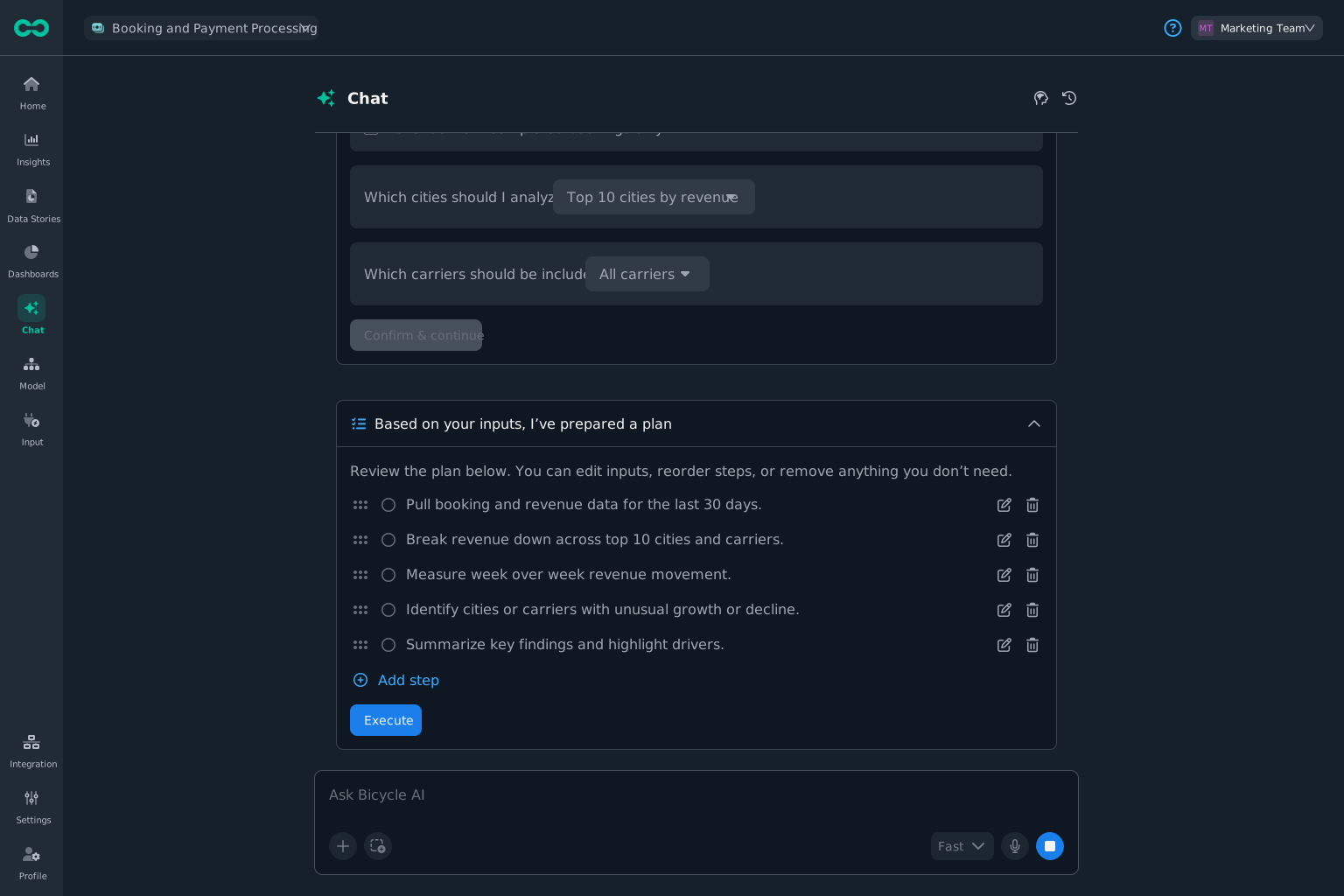
Get the plan back
Bicycle returns a reviewable plan you can edit, reorder, or run.
live screen
app.bicycle.ai chat planlive
Pillar 03 · Act

Answer Every Follow-Up

Move from cause to the next step with the scope already attached. Run what you are cleared to run; the rest routes through approval, rollback, and audit, automatically.

You get: the next step, scoped, with speed and safety both intactC6Governed self service and actionsC3Always on KPI intelligenceC4Multi factor cause analysis
The agent doing the work

Action Engine

Picks the action from the registry, inherits the scope from the cause, and generates a previewed request, ticket, or message bounded by your permissions before anything runs.
You approve first
Act safely, screen by screenLive screens enlarge on click.
STEP 01
Take the recommended step
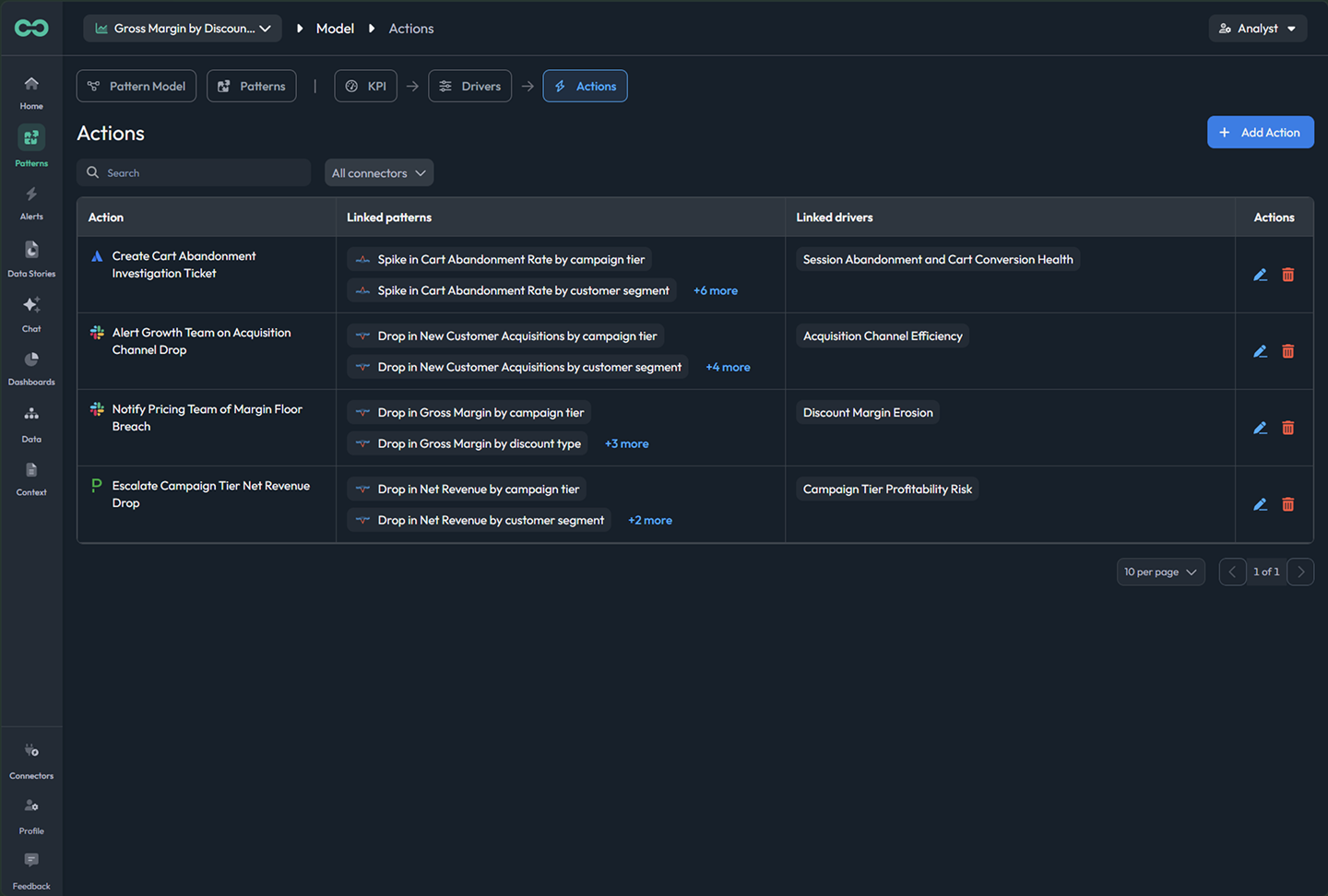
The next step arrives scoped to the affected segment, with the owner and context attached.
live screen
app.bicycle.ai actionslive
STEP 02
Configure it before it runs
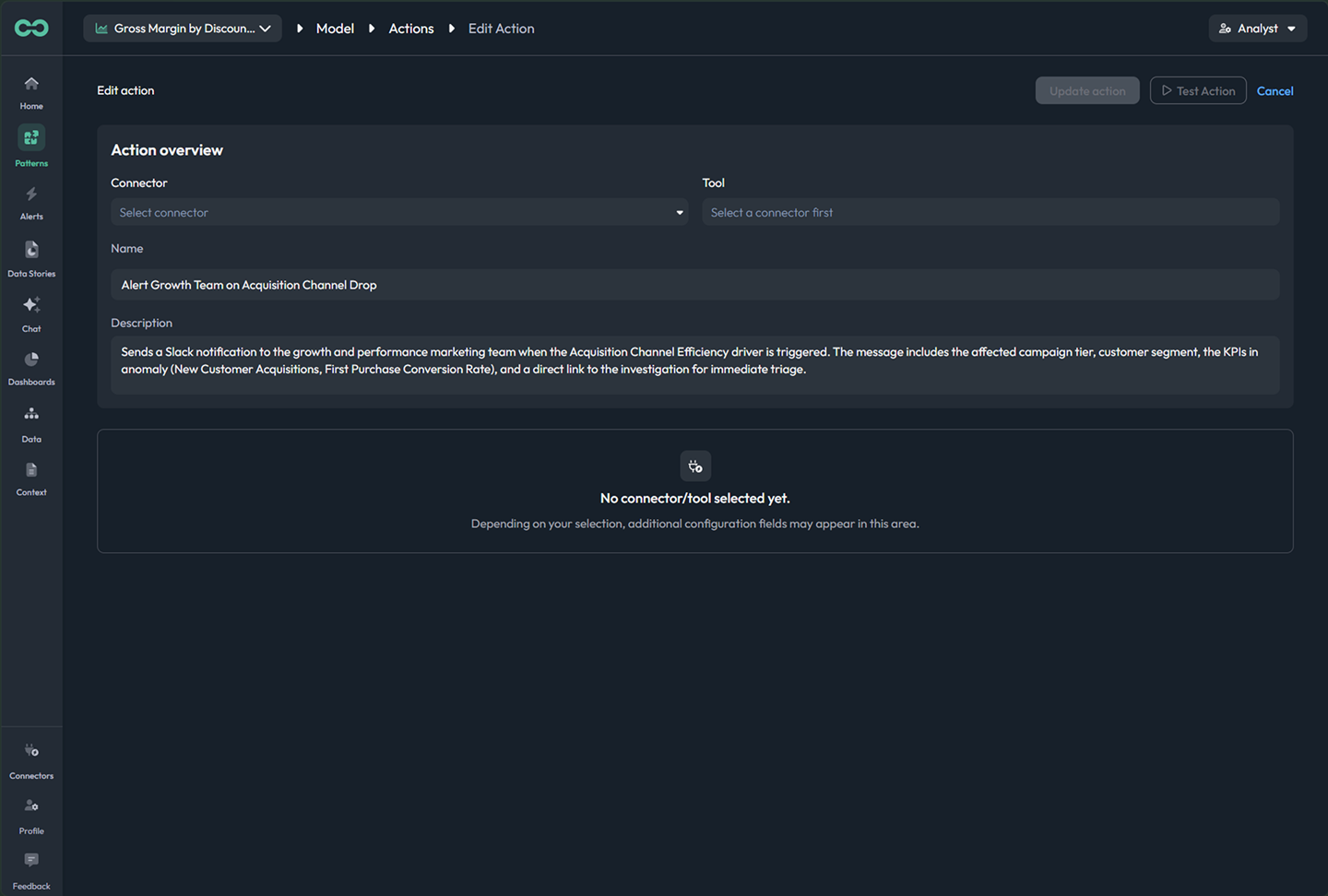
Set the connector, the message, and the scope; preview exactly what will happen.
live screen
app.bicycle.ai action configlive
STEP 03
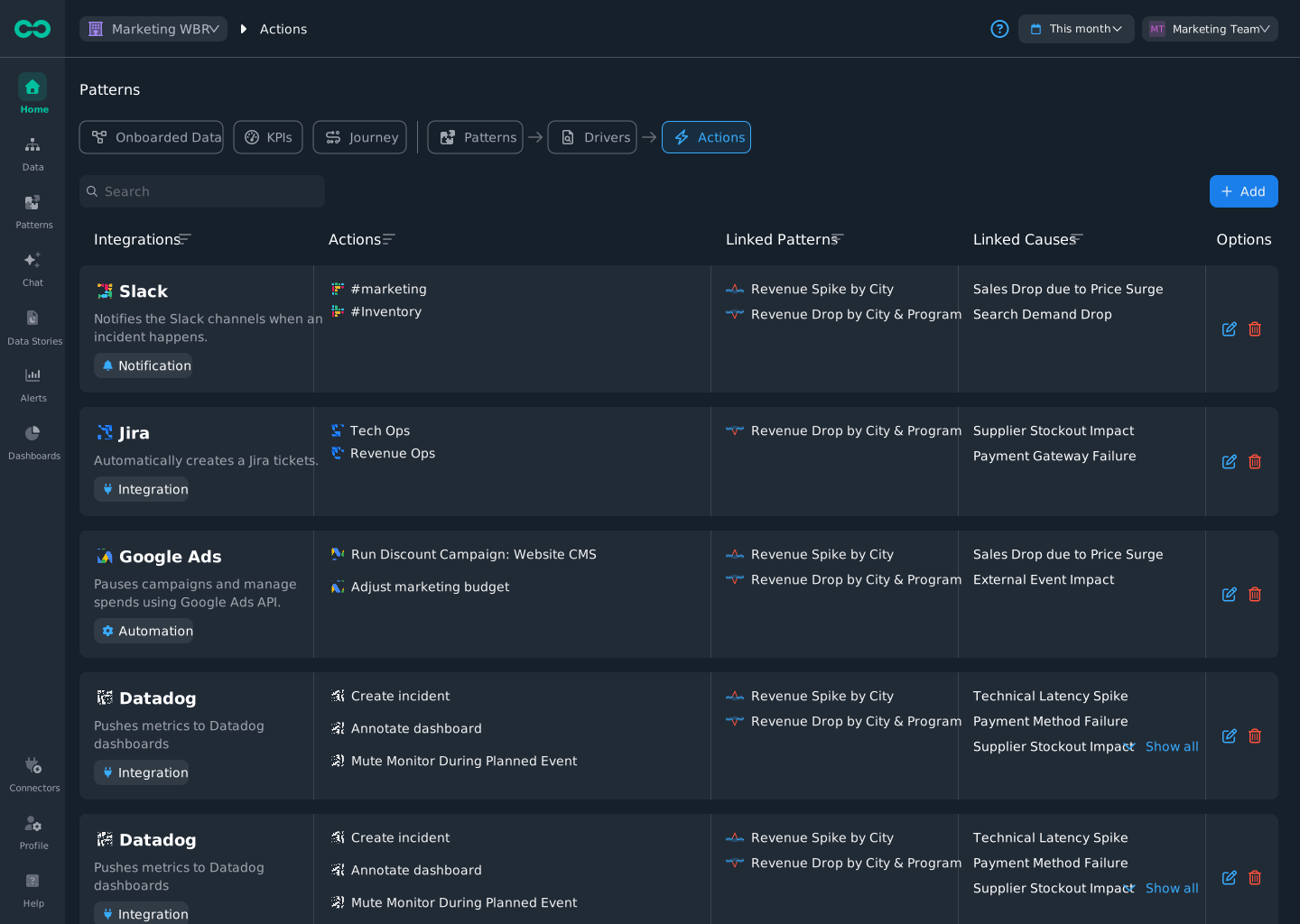
Pick from the actions catalog
A registry of governed actions across Slack, Jira, ads, and more. Each linked to the patterns and causes it answers.
live screen
app.bicycle.ai actions cataloglive
STEP 04
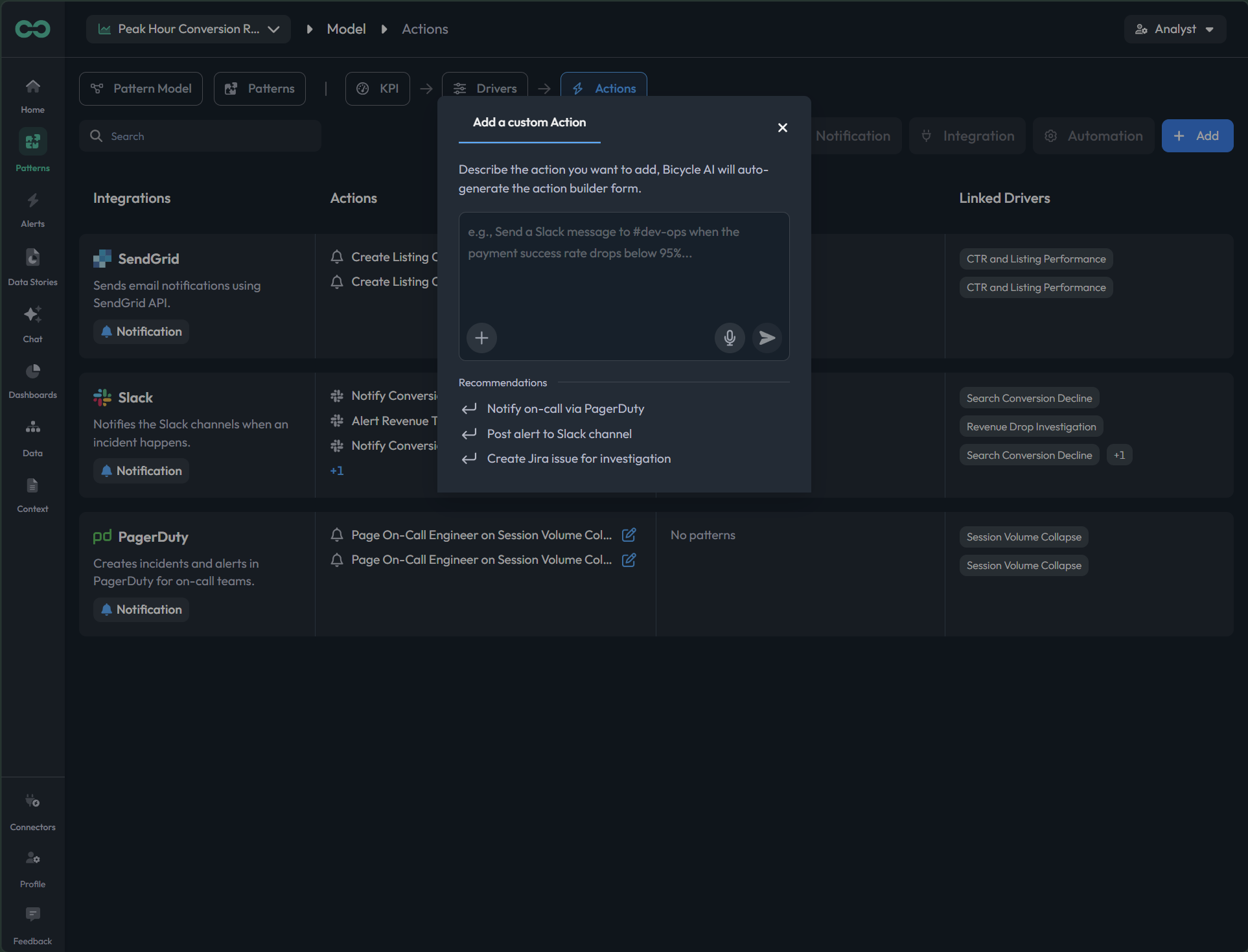
Add a custom action
Describe the step you want; Bicycle drafts the action form, still bounded by your permissions.
live screen
app.bicycle.ai custom actionlive

What your team walks away with

You started from the change that mattered, saw the cause with the evidence, and acted inside the guardrails. Here is what that returns to your team.

01
Faster time to impact
The change that matters reaches you first, with the cause and the next step attached. You act in minutes, not after the weekly review.
02
Higher operational efficiency
Recurring investigations run themselves. Your team stops refreshing dashboards and chasing analysts, and spends its time on the calls that move revenue.
03
Increased revenue
Catch revenue-impacting shifts while they are still small, in the segment where they start, and act before they show up in the totals.

Build your first agent.

Connect a source, pick the change you care about, and review your first agent with the cause and the next step attached. In days, not quarters.

No credit card required

No credit card required Start for free